


Hide Photos, Video and App Loc
4.720.12K Reviews
App Specs
- Version
- 8.8.0
- Updated On
- License
- Free
- Downloads
- 50,000,000+
- Developer
- Goaffpro
- Categories
- Video Players & Editors
- Platform
- Android
Screenshots
 Analysis by AppCompare
I came to Hide Photos, Video and App Loc with a practical goal: keep a few personal files and apps away from casual browsing when I hand over my phone. Its appeal is less about transforming how I use my device and more about adding a private layer for specific things. That distinction matters. A vault can help with everyday boundaries, but it is not a substitute for a strong phone passcode or careful backups.
A simple routine for keeping private items separate
The most useful way to start is to decide what actually needs to be tucked away before importing anything. I’d begin with a small, clearly chosen set of photos or videos, then check that they appear in the app’s vault before considering any cleanup in the phone’s gallery. That second check is a sensible habit: moving private files should not become an accidental deletion exercise.
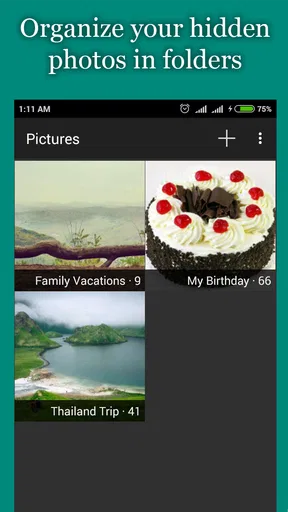
Once the basics are in place, the app’s organizing approach can make more sense than hiding everything in one undifferentiated pile. Separate vaults suit people who want a boundary between, say, travel images and personal clips. I would keep the categories broad enough to remember easily; a complicated filing system creates work every time something needs to be found.
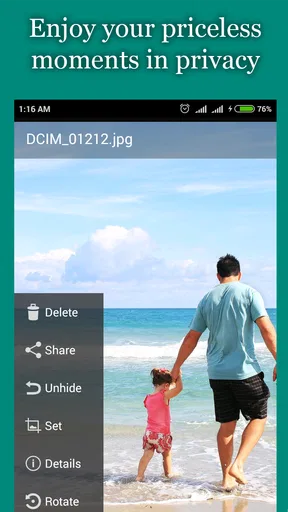
For a realistic example, imagine lending your phone to a friend to browse holiday pictures. Keeping personal images in a separate vault means you can show the trip photos without scrolling past unrelated material. The benefit is not that the phone becomes impossible to inspect, but that a normal gallery-sharing moment is less likely to turn into an awkward one.
Settings and habits worth checking
A PIN or pattern is only useful if it is not easy for someone beside you to guess. I’d avoid an obvious sequence and take care when entering it in view of other people. The app’s lock protects access within its own experience; your device’s screen lock still matters because it protects the phone as a whole.
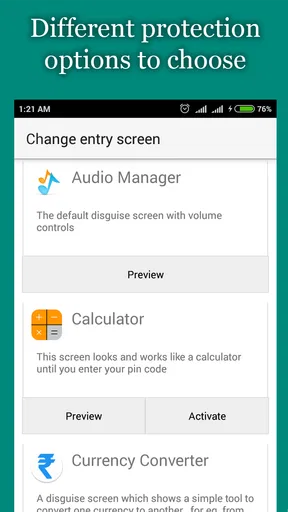
The fake cover and break-in alert are features to treat thoughtfully rather than as magic security. A decoy can make casual curiosity less rewarding, but it should not be mistaken for proof that nobody can reach the underlying content in every circumstance. Likewise, a front-camera alert may be useful when the app is opened incorrectly, but it is not a general-purpose record of everything happening around your phone.
Before relying on any vault for important files, I’d test the routine with nonessential items: add one, confirm it is available where expected, close the app, and check that the lock behaves as I intend. I’d also think through what happens if I forget the PIN or replace the phone. That is a useful privacy trade-off: tighter access can mean more responsibility for remembering credentials and preserving copies of anything irreplaceable.
Worth Reading Before You Choose

Flipboard Shows What News Apps Must Do Beyond the Feed

Switching to Android Auto Means Rethinking Your Driving Routine

Google Calendar Makes a Crowded Week Easier to Manage

Ludo King Makes the Most of the Minutes Between Plans

Baby Panda World Brings Quick Play to Modern Phones, but Its Game Library Feels Busy

ESPN’s Live Game View Makes Following Close Games Easier
Faster patterns for everyday use
After setup, consistency is more helpful than frequent rearranging. I’d make a habit of moving a file soon after deciding it should be private, rather than leaving it in the public gallery and telling myself I’ll sort it later. A quick review when adding new photos can also catch items that belong in a vault without turning privacy maintenance into a large chore.
App locking is a separate use case from hiding media. It can add friction before someone opens selected apps such as messaging or social platforms, which is useful when handing over a phone for a quick task. But if you need to lend the device for longer, or someone already knows your screen-unlock code, this extra layer should not be treated as a complete answer to every access concern.
People who want only to hide a few pictures may find a phone’s built-in private album simpler, if their device offers one. I see this app as more appealing when someone wants a dedicated place for several kinds of content and values its additional app-locking and decoy-style options. The trade-off is another app and another routine to remember.
Where the limits matter
No vault can remove the need to manage the original files carefully. Before deleting anything from another location, make sure the copy you intend to keep is actually present and usable. For important memories, I would keep a separate backup that I control rather than making a privacy app the only place they exist.
I’d also skip this approach if my main need were secure sharing, encrypted communication, or comprehensive device security. Those are different problems, and a photo-hiding app is not a replacement for tools designed specifically for them. It is best understood as a convenient privacy layer for selected content, with the usual limits of relying on a single phone and app.
That practical focus is why this kind of utility can be useful without being essential for everyone. If your phone rarely leaves your hands and its standard gallery controls already suit you, another vault may add more upkeep than value. If you regularly show your screen to family, friends, or colleagues, separating personal material can be a worthwhile bit of preparation.
Ever stumbled upon an app that made you wonder where it had been all your life? That’s exactly how I felt when I tried out Hide Photos, Video and App Loc. If you’re like me and value a bit of privacy in this increasingly connected world, this app might be your new best friend.
What’s the Deal with Hide Photos, Video and App Loc?
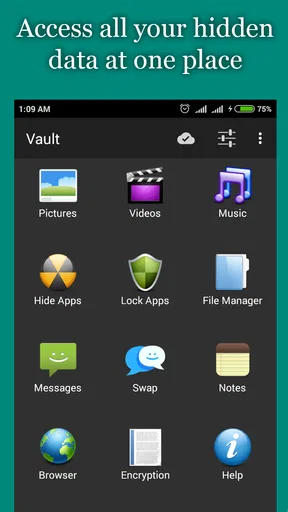
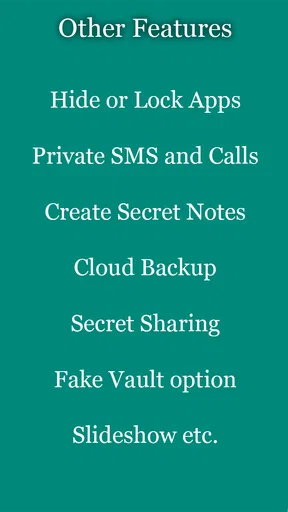
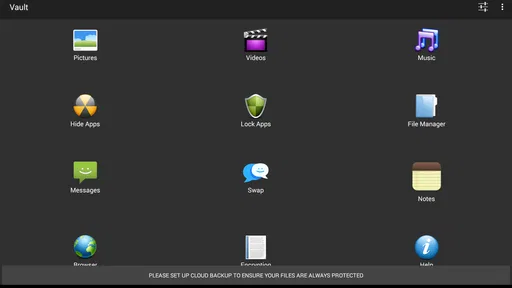
First off, let me just say that this app is a lifesaver. It’s like having a secret vault right on your phone. As the name suggests, it allows you to hide photos, videos, and even apps. Yep, you heard that right! No more awkward moments when someone borrows your phone and accidentally (or intentionally) stumbles upon your private pictures.
So, what makes this app stand out from the crowd? Well, for starters, it’s incredibly user-friendly. I’ve tried my fair share of privacy apps, but this one really nails the balance between functionality and simplicity. It doesn’t bombard you with unnecessary features or confusing settings.
Features That Caught My Eye
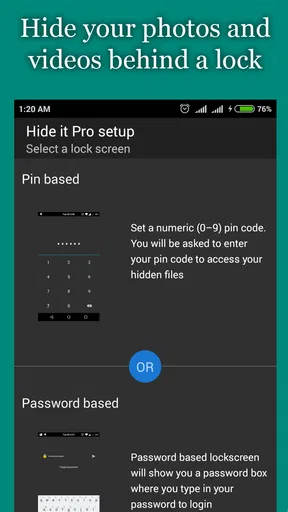
Let’s talk features. The app offers a secure PIN or pattern lock system. Setting it up was a breeze, and I felt like a tech wizard in the process. The user interface is clean, with a straightforward design that makes it easy to navigate.
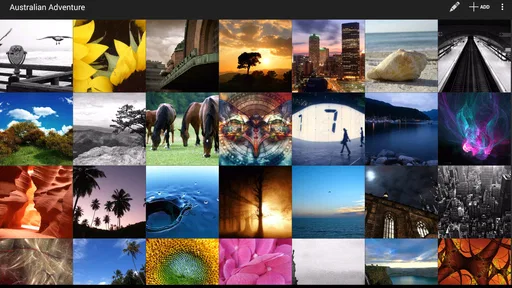
One of the coolest features is the ability to create multiple vaults. This means you can organize your hidden content into different categories. For instance, you can have a vault for your travel photos and another for personal videos. It’s like having a super-organized digital filing cabinet.
Now, a feature that really blew my mind was the fake cover. Imagine this: someone tries to open your vault, and it shows an empty folder or a funny message. It’s like having a decoy to throw off snoopers. Genius, right?
Getting Down to the Nitty-Gritty
The app also has a nifty feature for app locking. You can lock specific apps with a PIN or pattern. This is perfect for those who want an extra layer of security on apps like WhatsApp or Instagram. I tested it out, and it worked seamlessly. No more worrying about prying eyes on my social media chats!
Another noteworthy aspect is the break-in alert. If someone tries to access your vault with the wrong PIN, the app will snap a photo of the intruder using the front camera. It’s like having your own personal detective. I tried it out with a friend (with their consent, of course), and it worked flawlessly.
Performance and Usability
Performance-wise, the app runs smoothly. I didn’t experience any crashes or bugs, which is a huge plus. It’s lightweight, meaning it doesn’t hog much of your phone's resources. This is crucial for those of us who have a gazillion apps running at once.
Usability is another strong point. The app doesn’t require a steep learning curve. Even if you’re not a tech-savvy person, you’ll find it easy to use. The setup process is quick, and the interface is intuitive.
How it fits among privacy options
Hide Photos, Video and App Loc is a free app from Goaffpro in the video-player and editing category, although its everyday purpose is closer to a phone privacy utility. It has a 4.7 average from around 1.2 million ratings, and it has been installed over 50 million times. Those figures suggest broad familiarity, but I’d still judge it by whether its particular mix of vaults and app locks matches your habits.
Compared with the usual alternatives, the choice is mainly between convenience and simplicity. A built-in private album can be the cleaner option when all you need is to keep a handful of images out of the main gallery. A dedicated vault is more compelling if you also want separate collections, a decoy presentation, or locks on selected apps. Neither approach removes the need for a reliable device lock, and adding a dedicated app means you have one more place to maintain.
It is also worth separating hiding from sharing. If your concern is that a friend might swipe through the camera roll while choosing a photo, a vault helps with that narrow situation. If you need to send sensitive files to someone, or protect information across several devices, this is not the same kind of tool. I would choose an option built for that specific job instead of expecting a local hiding app to cover every privacy need.
Who should use it, and who can pass
I can see this being a good fit for people who regularly lend their unlocked phone to someone nearby, keep personal media mixed with ordinary camera shots, or want a simple extra barrier around a couple of apps. The strongest use case is casual privacy: preventing an accidental glimpse during normal phone use, not defeating a determined person with access to the device.
I’d pass if I only needed occasional photo sorting and my phone already provides a private album that I trust. I’d also avoid making any vault the sole home for treasured files. A forgotten PIN, a lost device, or a change in routine can make access inconvenient, so keeping a separate backup of irreplaceable material is a more careful plan than relying on one app alone.
The app is rated for Everyone, and it is free to download, with optional in-app purchases listed from $1.49 to $6.99 per item. It was released on October 19, 2014; version 8.8.0 supports Android 6.0 and later. That makes it relevant to a range of Android devices, though I would still check how it behaves on my own phone before moving anything important into it.
Making the routine dependable
One small habit makes a noticeable difference: decide in advance which kinds of files belong in the vault, then follow that rule. For example, I might keep personal videos there while leaving ordinary trip photos in the main gallery. A clear rule prevents the vault from turning into a miscellaneous drawer that I have to search whenever I want a particular file.
Another useful habit is to test the full sequence before relying on it in a real handover. Add a nonessential item, confirm it is accessible inside the vault, lock the app, then reopen it as you normally would. If you use app locking, test that separately rather than assuming the media vault and each selected app behave identically. This is a practical way to catch confusion early, without putting an important file at risk.
I would also treat the decoy and alert features as situational tools, not a promise of invisibility. A fake cover may discourage casual browsing, while a failed-entry photo may help identify an attempt to open the vault. But those features only make sense as part of a broader routine: use a strong phone lock, avoid sharing credentials, and be cautious about handing over an already-unlocked device.
Final Thoughts
In a world where digital privacy is a growing concern, Hide Photos, Video and App Loc is a must-have. It’s like a digital guardian that keeps your private moments safe and secure. Whether you’re looking to hide photos, lock apps, or set up a decoy vault, this app has got your back.
If you’ve been on the hunt for a reliable privacy app, this one should be at the top of your list. It’s user-friendly, packed with features, and performs like a champ. So go ahead, give it a try, and experience the peace of mind that comes with knowing your digital life is under lock and key.
Ready to take control of your privacy? You can download the app from your favorite app store and start exploring its features. Trust me, you won’t regret it!
My verdict after weighing the trade-offs
My recommendation is positive, but deliberately narrow: I’d use it for everyday separation of selected photos, videos, and apps, not as my only defense for sensitive information. Its appeal is the combination of a straightforward interface with options that ordinary gallery tools may not bundle together. The best results come from using those options consistently and keeping expectations realistic.
There is a small ongoing cost in attention even when the app itself is free. I have to remember where I put things, keep my access pattern memorable to me but not obvious to others, and preserve independent copies of important files. Optional purchases are available, but I would first see whether the free experience fits my actual routine instead of paying for features I may not use.
For someone who wants a low-friction way to keep personal content out of casual view, that balance can be worthwhile. For someone who needs comprehensive security, shared access controls, or a robust backup plan, I’d look beyond a vault and choose tools designed for those needs. Used for what it is good at, this is a practical privacy layer rather than a guarantee—and that is the honest reason I’d recommend giving it a try.
Pros
- Easy-to-use interface for quick navigation.
- High level of encryption ensures privacy.
- Supports multiple file formats for hiding.
- Customizable app icon for discreet usage.
- Backup feature prevents accidental data loss.
Cons
- Ads can disrupt the user experience.
- Limited features in free version.
- Requires additional permissions to operate.
- No cloud sync in basic plan.
- Occasional lag when loading large files.
FAQs for Hide Photos, Video and App Loc
What is the primary function of Hide Photos, Video and App Lock?
Hide Photos, Video and App Lock is designed to provide users with a secure way to protect their private media and applications. The app allows you to hide photos, videos, and lock specific apps with a password or fingerprint, ensuring that only you have access to your sensitive content.
How secure is the protection offered by this app?
The app offers robust security features including password protection, fingerprint authentication, and encrypted storage. These measures ensure that your hidden files and locked apps are kept safe from unauthorized access, providing peace of mind for users concerned about privacy.
Can I recover my photos and videos if I uninstall the app?
Before uninstalling, it's important to restore your hidden files back to your device's gallery, as uninstalling the app may result in the permanent loss of hidden content. The app typically provides an option to export your files, but checking the app's specific recovery policies is advisable.
Is there a limit to the amount of data I can hide or lock?
The app generally allows you to hide a substantial amount of data, but this is often limited by your device's storage capacity. Some versions may offer additional cloud storage options for a fee, enabling you to store more files securely without using device memory.
Are there any costs associated with using Hide Photos, Video and App Lock?
The app is usually available as a free download with basic features. However, it may offer in-app purchases or a premium version that provides advanced features such as additional storage, ad removal, and enhanced security settings. Checking the app store for specific pricing details is recommended.


